 AmiStudio

AmiStudio
0.1.10 beta · launcher
Installs and updates apps and the Host, offers a Host update when an app needs a newer one, and unmounts Google Drive when you quit.
About the launcher →AmiStudio is a small suite of Amiga apps — a paint program, a modern web browser, Discord in a native window, Google Drive on your Workbench, and a launcher that keeps them updated. Built first for AmiKit on Amiberry (Linux) with Rabbit Hole.
Everything is beta. The preferred install path is the AmiStudio launcher.
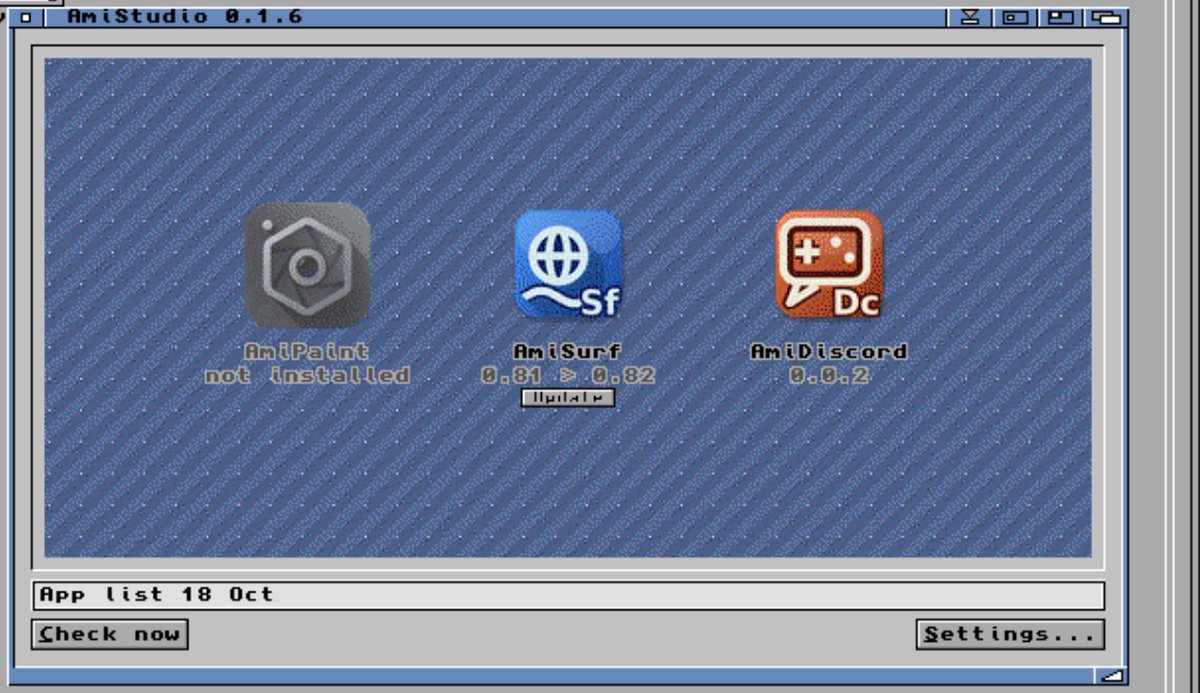
Five Amiga apps plus a Linux Host that backs the browser, Discord and Google Drive. The launcher puts everything in one self-contained drawer you can copy or delete cleanly.
Installs and updates apps and the Host, offers a Host update when an app needs a newer one, and unmounts Google Drive when you quit.
About the launcher →
A paint program for AmigaOS 3.x (PhotoCraft-based), with MUI and GadTools builds and RTG plus AGA support.
About AmiPaint →
A modern web browser in an Amiga window, now with a bookmarks bar. Pages are rendered by Chromium on the PC through the AmiStudio Host.
About AmiSurf →
Discord in a native Amiga window, using the Host’s app mode so chat stays on your Workbench.
About AmiDiscord →
Your Google Drive as an Amiga drawer at AmiStudio/Google Drive. Sign in through AmiSurf; the Host does the syncing.
Honest requirements for this beta. Host-backed apps need AmiKit on Amiberry today.
fuse3 on the PC.
Self-contained drawer. AmiStudio keeps settings, logs, apps, and Host data inside its install folder.
You can copy the drawer to another install or delete it without leaving remnants.
The exceptions: your Google Drive files live in your Google account, and browser and Discord downloads go to your real ~/Downloads.
Grab the AmiStudio launcher, unpack it on the Amiga, turn beta mode on in Settings, and let it install the apps and Host for you.
Beta feedback: hardcopi@mail.grokbot.com